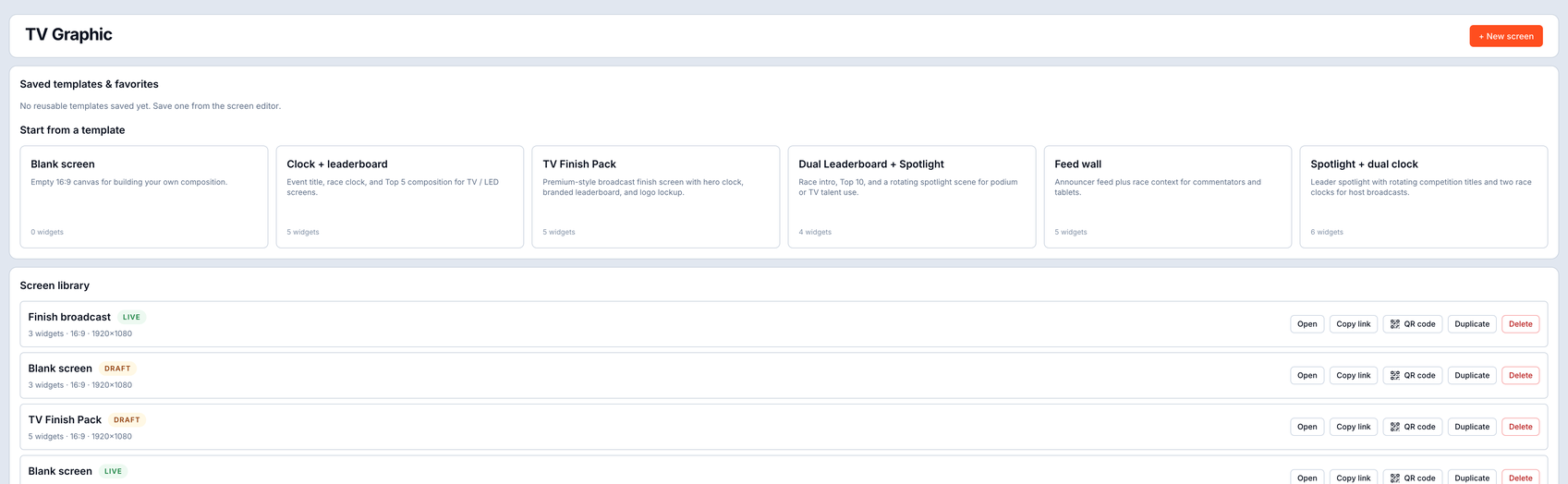
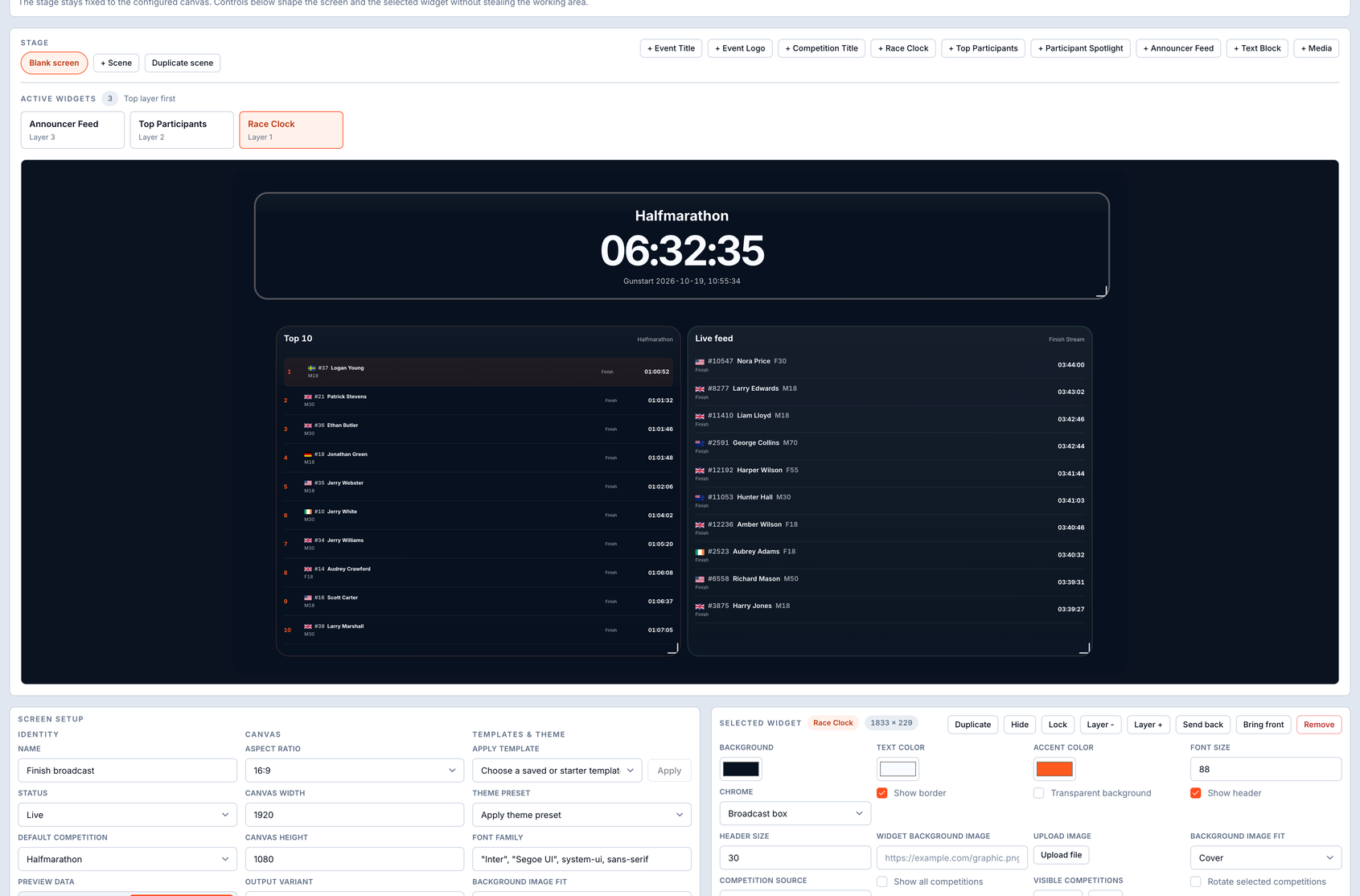
For the person on the mic
Screens that make the lead group easy to call.
Define as many announcer screens as you need for one event - a Top 10 per competition, split feeds for the points that matter, a finish wall. Each one has a type, a source and an auto-or-manual mode, and is driven by a smart split-then-finish flow: the screen leans on the latest split until a finish lands, so the commentator always has something live to read and never loses the front of the race.
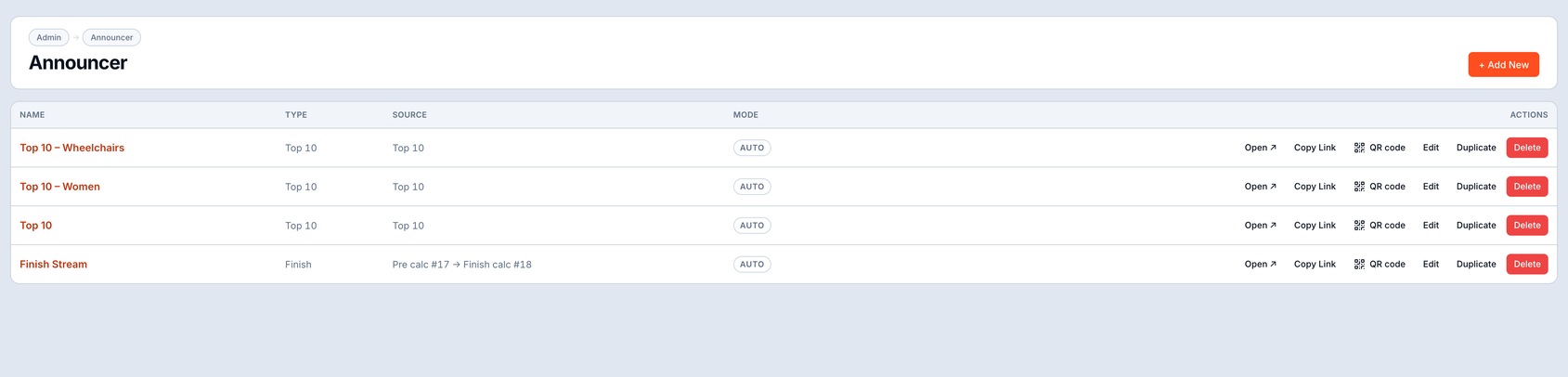
Manage every screen in one place. Build a screen per competition or per point on course - Top 10, a split feed, the finish wall. Set its type, source and whether it advances automatically or on your cue, then open it, copy the public link, edit, duplicate or delete in a click.
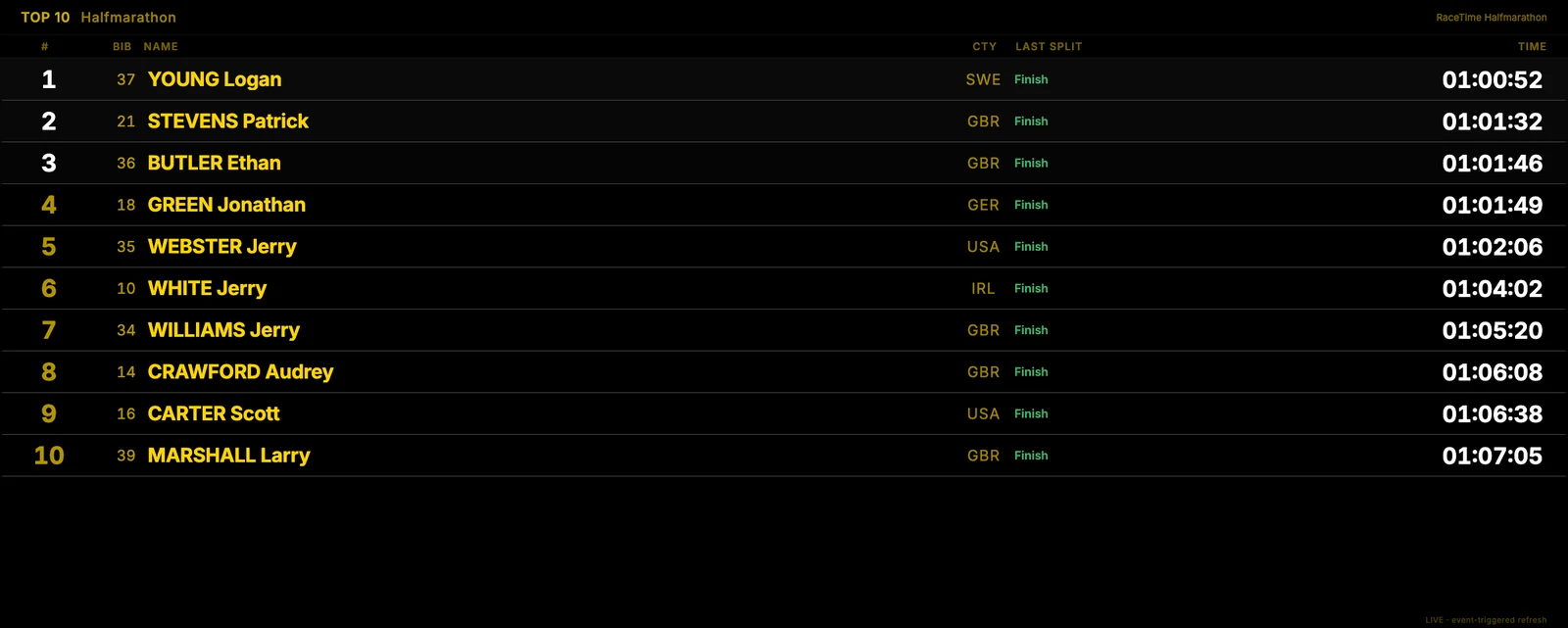
The screen they actually read from. A high-contrast Top 10 built for a podium TV or a desk tablet: bib, name, age category, last split status and time, big and legible from across the finish area. The split-then-finish flow keeps the order honest while runners are still on course.
Multi-screen
As many announcer screens as the event needs - Top 10s, split feeds and a finish wall, each one its own link.
Live switching
Auto or manual per screen, so the commentator drives the feed or lets it advance on its own.
Any resolution
The same layouts scale from a desk tablet to FullHD, 4K and full-size LED panels.
Stream-ready
Every screen is a clean browser source for OBS, vMix or any browser on the LED controller - no plug-ins, no exports.
- Split-then-finish flow - the screen reads the freshest split until a finish lands, so the lead group is always easy to call.
- One screen per moment - a Top 10 per competition, a feed for each split, a dedicated finish wall.
- Auto or manual - let a screen advance itself, or hold and cue it from the desk.
- Public links - copy a screen's link onto any browser at the venue, full-screen, in seconds.